
Screenly Cast for WordPress
A WordPress plugin that renders your posts, pages and images for digital signage. Point a screen at a page you already publish and it shows a version built to be read from across the room, without touching your theme.
This one is a WordPress plugin rather than a link you paste into a player. Install it on your site, and the URL a screen points at is your own page.
Publish once, and it reads on a wall
Every other app in this library is a link you paste into a player. This one is different: it is a plugin for the WordPress site you already run. Install it, and any post, page or image you publish can also be shown on a screen, without writing the content twice or keeping a second system in step.
It deliberately does not try to turn WordPress into a signage CMS. There are no zones, no playlists and no feeds. It takes something you have already published and renders it so it can be read by somebody standing several metres away who is not holding a mouse.
The same post, twice
A normal page is built for a reader with a cursor: navigation, byline, comments, sharing buttons, next and previous links. On a wall, all of that is noise competing with the one thing you wanted to say.
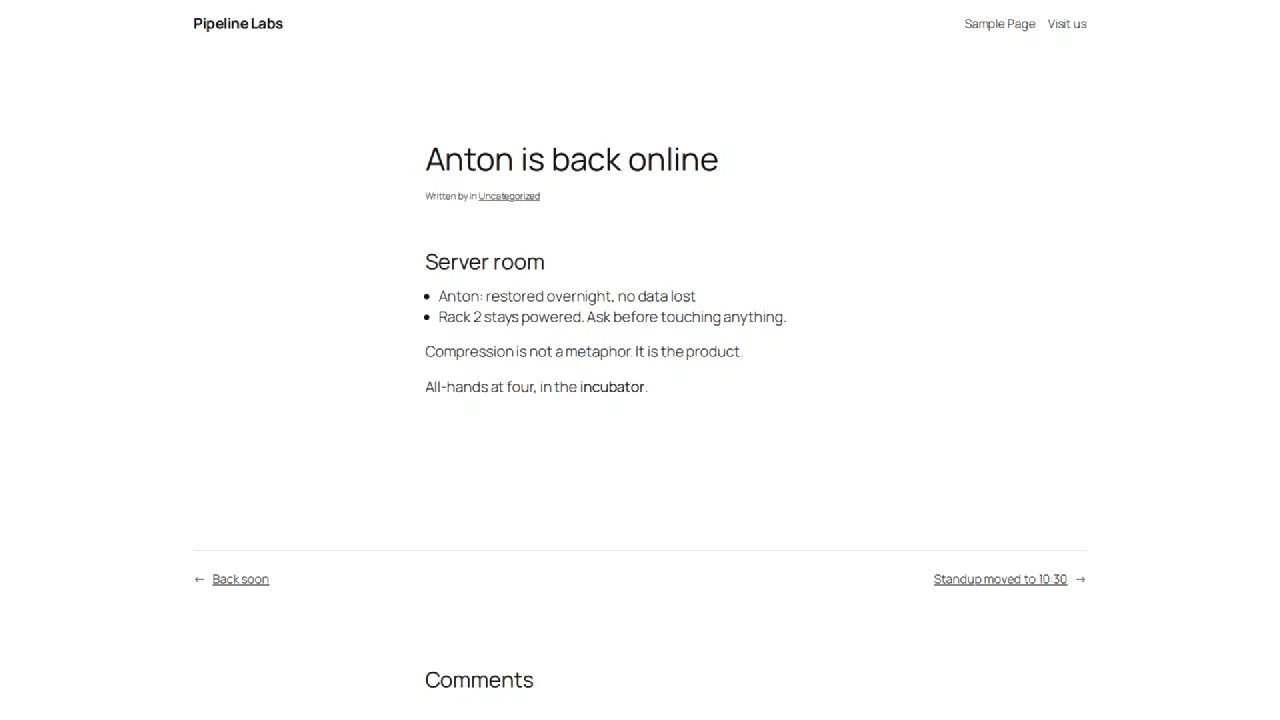
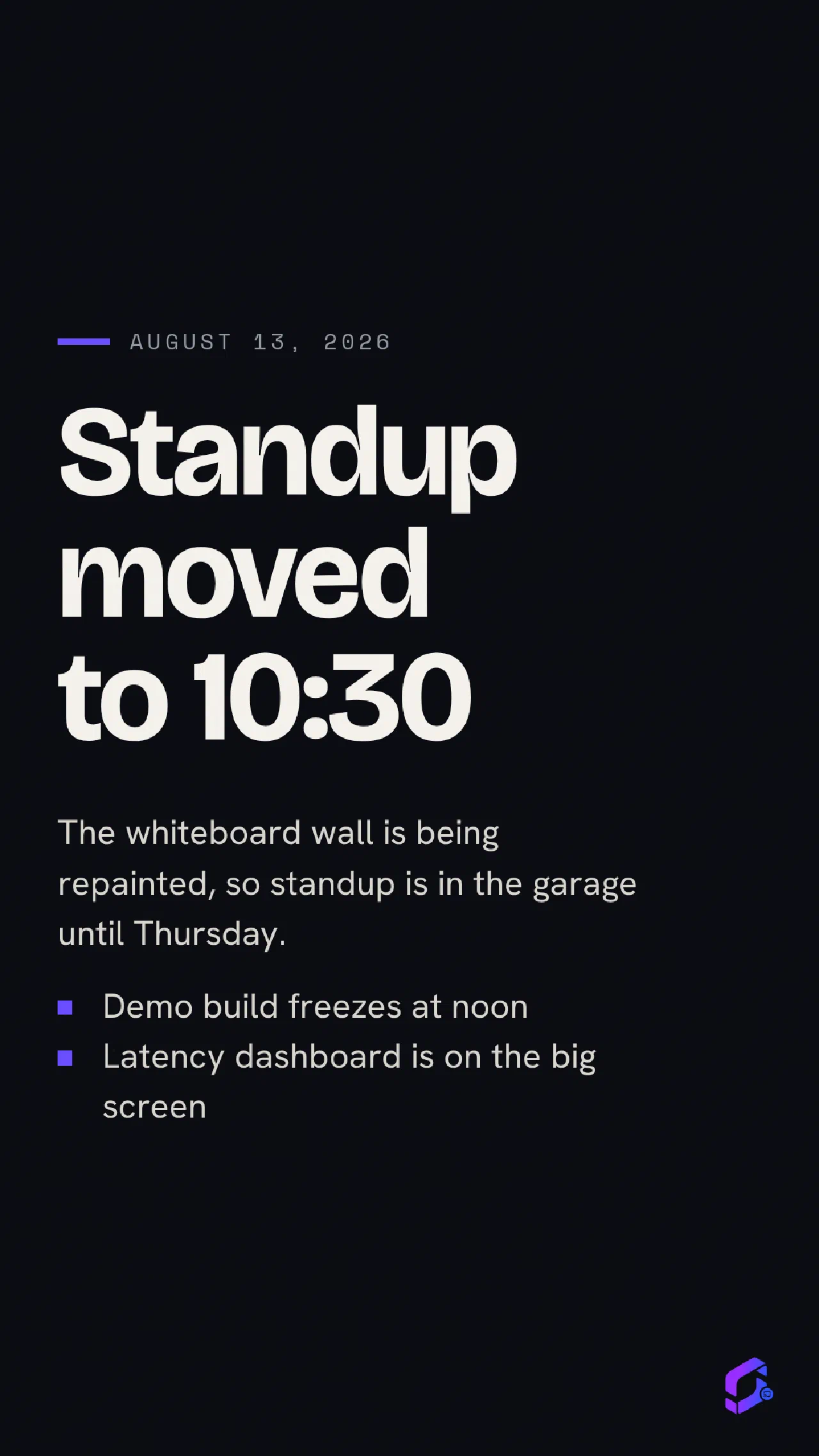
A signage render is the title, the date, a short body, and the featured image if the post has one. Everything that assumes an interactive visitor is removed.
Your theme is never touched
A signage request renders through the plugin's own template, for that one request. Your active theme, and what every other visitor sees, is completely unaffected.
Built for real screens
- Fits the screen. Content is trimmed to what actually fits at the resolution the screen actually is. A screen cannot scroll and nobody is there to try.
- Every resolution, both orientations. Correct from an 800x480 Raspberry Pi Touch Display up to 4K, landscape and portrait, with nothing to configure.
- Works on old players. Signage hardware runs years behind the desktop, so the stylesheet is compiled down to a Chrome 87 baseline and older players get a reduced-motion mode rather than a broken layout.
- No external requests. Fonts ship with the plugin. Nothing is fetched from a CDN, which matters for privacy and because a player is frequently offline.
- Not indexed. Signage renders are marked noindex, so they never compete with your real pages in search.
Nothing to remember
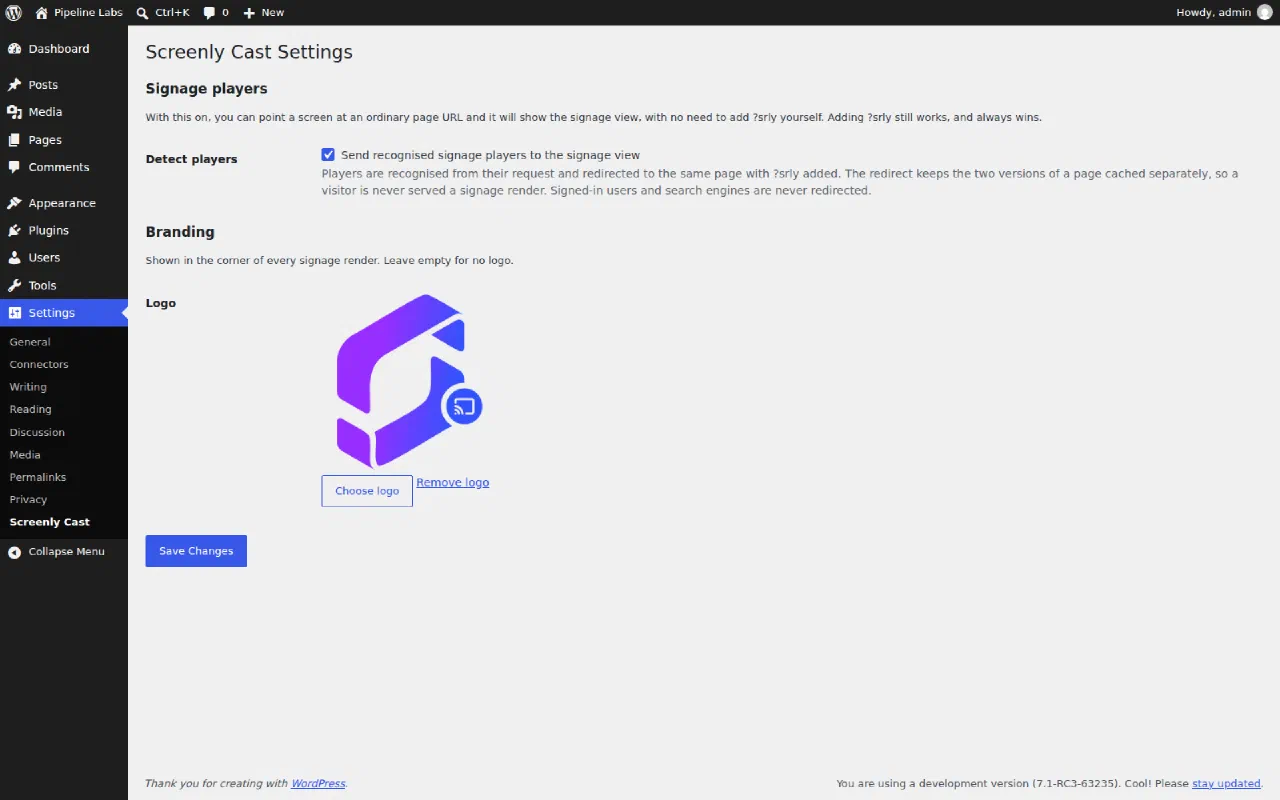
Point a screen at an ordinary page URL. Signage players are recognised from their request and sent to the signage view of whatever they asked for, so there is usually nothing to append.
Adding ?srly to a URL still works and always wins, which is how you preview a signage render in your own browser.
Where it fits
Most of these are some form of digital notice board, which is the job a screen on a wall usually turns out to be doing.
- A digital notice board in a school, an office or a community centre
- Opening hours, specials or a menu in a cafe
- A lobby or reception display fed by the site you already update
- A Raspberry Pi in kiosk mode showing whatever you published this morning
How to add Screenly Cast
Install the plugin from WordPress.org or by searching for Screenly Cast in your WordPress admin, then activate it. Optionally pick a logo under Settings, Screenly Cast, shown in the corner of every render. Then add one of your page URLs as content in Anthias (free and open-source), Screenly, or any web-capable signage player.
Because a signage render is just a URL, it works the same way on any player, wallboard or browser kiosk that can open a web page.